 Оракул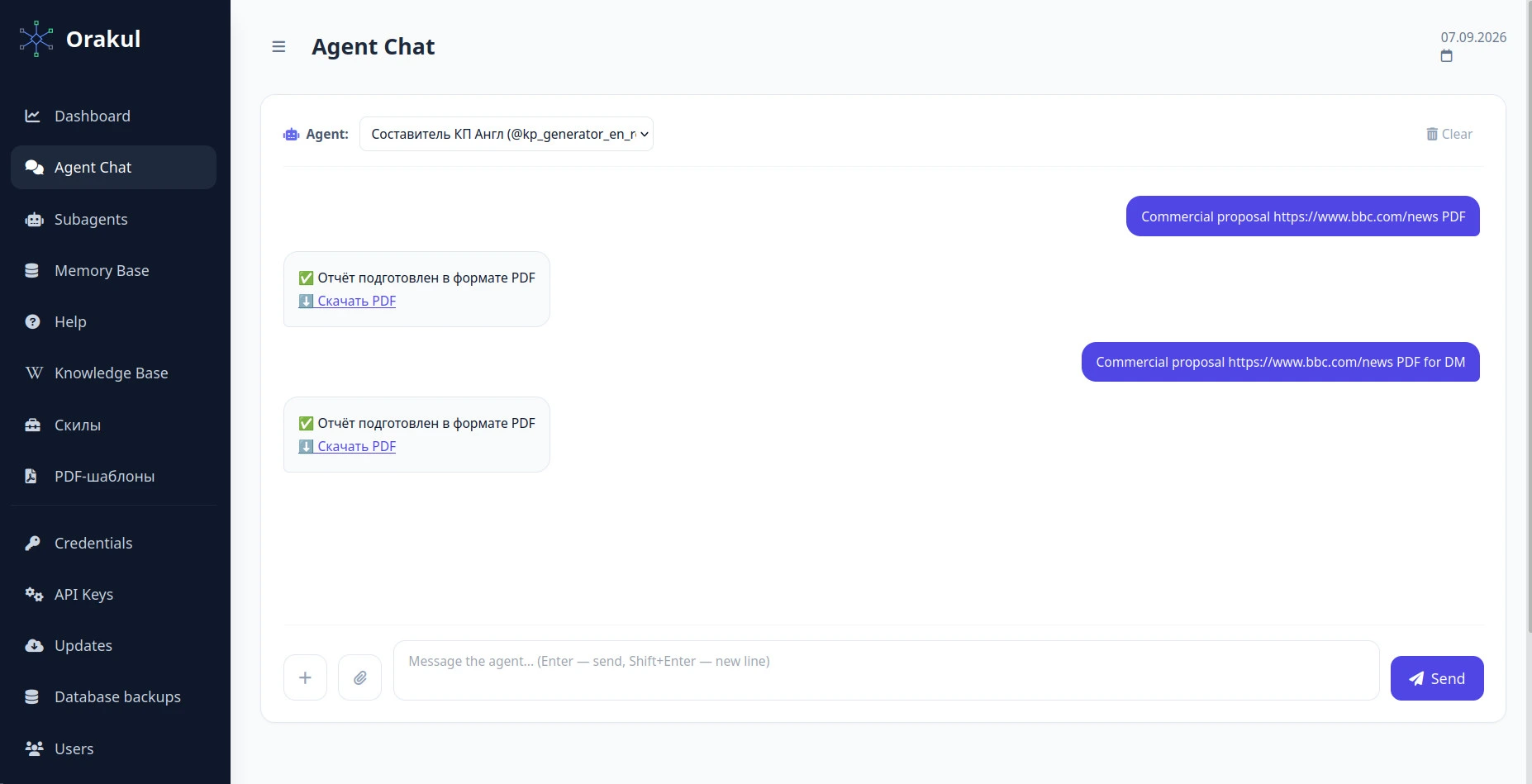
The lead arrived on Monday and your proposal went out on Thursday. Not because anyone was slacking: pulling the site's data, finding competitors, turning the findings into a work plan, costing the hours, writing the text and laying it out into a document you're not ashamed to send is half a day of work for three people — and all of it happens before the client has paid you anything. By Thursday the interest has cooled and two other agencies have already answered. This article is about a nine-role pipeline that walks that entire path from a single URL and returns a finished PDF while you drink a coffee.
What this agent should actually do
One job, stated as an outcome: take a URL and return a finished sales proposal as a PDF — with the site's real metrics, the competitors it found, a four-month work plan, a budget costed at your own rates, and your own layout. Not "the structure of a proposal", not a draft to finish by hand — a document you can send.
What it should not do: set the price of the deal (it takes rates from your knowledge base rather than inventing them), promise rankings, or send the document itself. The discount, the final figure and the moment of sending stay with a human.
Why nine roles instead of one
In the site audit guide a router collected data in six steps and returned a report. This job is an order of magnitude bigger: collecting metrics isn't enough — you have to find competitors, estimate their traffic, compute market share, turn findings into a task plan, the task plan into money, and the money into text a non-technical reader can act on. Each of those transitions is a different kind of reasoning, and describing them in one instruction produces exactly what you don't want: plausible prose with invented numbers.
All nine are ordinary roles in the panel: a name, a task, tools. Two of them have steps; the other seven are flat subagents called by name.
The main router's algorithm: eight steps
The router's own system prompt is nearly empty — all the logic lives in the steps:
You orchestrate the preparation of an SEO sales proposal. Your only job
is to pass the site URL and any inputs the user gave (region, CMS,
competitors, report language) through every step without distortion.

The analysis and the writing are done by the tool steps and the
subagents — do not write conclusions of your own and do not duplicate
their work.

If no site URL can be recognised in the input, say so immediately and
do not start the steps.
Why competitor research is a nested router of its own
It looks like overkill: why a whole role for two steps that could sit in the main algorithm? The reason is technical, and worth knowing before you spend an evening on it.
google_search and get_rapid_seo_metrics. And an ordinary tool step always aims at the first URL in context — useless for a list of four different competitor domains. What's needed is a subagent with its own call loop: it takes the list of domains and pulls metrics for each one separately.Hence the split: kp_competitor_finder finds domains by search, then hands them to kp_competitor_traffic, which pulls metrics per domain and returns lines of "domain: estimated traffic (DR X)". Note the second step's instruction carries no {clean_task}: the subagent doesn't need the original URL, only the list of domains, and that is already in context.
Data before the brief, not after it
The most expensive mistake in this pipeline cost several runs, and it looks harmless. Step 8's instruction opens with a two-page brief — what to write in every section — and the collected data is substituted at the very end. Logical enough: assignment first, material second.
In practice the copywriter followed the brief's structure to the letter and filled sections with "to be confirmed" placeholders — it simply never scrolled far enough to reach the data at the tail of the prompt. The fix is a reordering: the block of numbers goes first, ahead of the brief.
While we're here, two placeholders that are easy to confuse. {current_context} is the output of earlier steps in this run: the competitor list, the audits, the work plan, the costing. Without it the next step cannot see any of that. {db_data_context} is what landed in the task's database directly, such as the results of individual tool steps. You need both.
Seven discipline names that must not be renamed
The plan composer tags every task with a discipline, and the analyst uses that discipline to look up a rate in your rate table. The match is literal — if the plan says "Tech SEO / Dev" and the table says "Technical SEO", no rate is found, and a placeholder ships in place of a price.
So the composer's prompt pins the list down and makes the model check itself before printing the table:
"Discipline" is STRICTLY one of seven: SEO strategy and analytics,
Technical SEO, Content and editing, Development and implementation, CRO
and analytics, Link building and outreach, Project management. Do not
invent your own wording — the next step matches the discipline against
the rate table by exact name, and a different name means a lost rate.
Before printing the finished table, check yourself row by row: does
EVERY task's "Discipline" match one of those seven names verbatim?
The analyst is braced from the other side: before costing anything it must write the rate table out into its own answer. The trick looks odd but works — it's a self-check: if the model can't reproduce the table, the knowledge base really is missing from the prompt, and only then is a placeholder honest.
Two schemes, one call: technical proposal or one for the decision maker
A proposal has two readers who need different documents. The internal champion — an SEO lead or head of e-commerce — wants the technical evidence so they can sell the work upward. The executive wants three numbers and a next step.
The copywriter is called once and writes one document; which one is decided by the wording of the original request:
CHOOSE THE SCHEME FIRST, before writing anything. Check the wording of
the ORIGINAL user request — if it EXPLICITLY names the recipient with
"director", "decision maker", "owner", "CEO" or a clear synonym of that
role, use SCHEME 1. In every other case, including requests with no
stated recipient, use SCHEME 2 (the default). The schemes are mutually
exclusive — output EXACTLY ONE, never both and never a hybrid.
So "prepare a proposal for example.com" yields the 17-page technical document, while "prepare a proposal for example.com for the director" yields the nine-page one. No second agent, no configuration change: this is pure prompt engineering inside a single step.
The difference between the schemes isn't length, it's language. Where the technical proposal says "Core Web Vitals", the executive one says "page speed that's costing you buyers". Both documents are attached to this article — open them side by side and the difference shows on page one.
Slots: how the model's text becomes a layout
As long as the pipeline returns "just text", the proposal looks like a printed chat log. A branded document comes from slots: the copywriter opens each section with a marker on its own line, and the PDF template drops the content into its own layout.
[[SLOT:lpr_position]]
Your market share today is 4%; the category leader holds 38%…
The engine cuts the text at the marker and puts it into the template's {{ slot_lpr_position }} variable. There are two sets of keys: 14 for the technical proposal (cover, inputs, domain, visibility, backlinks, technical, onpage, commercial, eeat, workplan and four appendices) and 8 for the executive one (lpr_cover, lpr_position, lpr_cost, lpr_approach, lpr_growth, lpr_investment, lpr_case, lpr_risks).
An important consequence: the template decides page order, not the model. The cover is reliably page one because the layout says so, not because the copywriter kept the sections straight. Text with no markers at all isn't lost — it lands at the end of the document as one block — but the layout breaks, which is why markers are mandatory rather than nice to have.
The trap: the template attaches to the router, not to the copywriter
kp_generator_router — the role the user actually calls. Attaching it to kp_copywriter, whose text is what flows into the slots, does nothing at all. The reason: the document is assembled in the background by a scheduled task, and that task looks up the template by the role a human invoked — the router. Configure the copywriter perfectly, hang the template on it, and you get plain flowing text and half an hour of confusion.The PDF template field sits on the role's card, next to the background-mode checkbox. The template itself is HTML with your logo, colour and captions; the accent colour, logo and name come from the installation's global settings, so the same template works for any brand.
What to put in the knowledge base
The pipeline needs three files, and they're split for a reason:
- Company facts — who you are, services, testimonials. A large document; the most relevant pieces make it into context.
- Case studies — a separate file. The proof appendix depends on it.
- Rates and guarantees — the "type of work → rate per hour" table plus your GDPR, NDA and payment terms.
Rates attach to the analyst; all three files attach to the copywriter. As in the copywriter guide, build the knowledge base from material that's already approved rather than writing it fresh.
Formatting bans, without which the PDF looks broken
A whole block of the copywriter's prompt is about what it must not write. It reads as pedantry right up until the first document reaches a client:
- No horizontal rules — neither markdown nor
<hr>. The converter turns them into a line across the middle of a slot and breaks the layout. - No emoji or decorative symbols — arrows, ticks, bullet circles. The PDF font doesn't carry them: you get empty boxes, or they vanish silently.
- No LaTeX. A real incident: a lost-revenue formula reached a client as
$$\text{Lost revenue} = …— the renderer has no maths engine and printed the markup verbatim. - A blank line before and after every table and list. Without it markdown doesn't recognise the table, and
|---|---|ships as literal text.
Tools and background mode
Nothing here needs wiring up: page fetching, PageSpeed, backlink metrics, AI-crawler accessibility checks, search and subagent calls all ship with the platform — the same set as in the SEO specialist guide.
What you must switch on is "Always run in background" on the main router. Nine roles doing real reasoning, one of them a nested router, do not fit inside a normal request timeout: the user gets an immediate acknowledgement, and the finished PDF arrives as a separate message.
The two examples attached to this article
Both files below are real output from this pipeline on the same site, with no hand edits. The only difference is how the request was phrased. The technical proposal runs 17 pages with metric tables, the work plan and appendices. The executive one is nine: where you stand, the cost of doing nothing, the approach, the growth plan, the investment, a case, the risks.
The site is an example — BBC News: large, public and definitely not your client, which makes it a convenient way to show the mechanics without disclosing anyone's data.
Read them side by side and ask "what would I delete before sending this to my own client" — that list is precisely what to change in the brief for your agency. One such item is visible right in the files.
Testing and tuning
Run three sites: your own, a client you know well, and a deliberately hard one — a large international property. What you're checking isn't the prose, it's the numbers: does the appendix total match the analyst's costing, did the rates come from the knowledge base, did any claim about a competitor appear that wasn't in the data. The first runs almost always expose the same thing — not a model error, but a gap in your knowledge base.
Common mistakes
- The PDF template is attached to the copywriter. The most common and most galling: everything is configured correctly and the output is still plain text. The template attaches to the router — the role a human calls.
- Data pasted at the end of the brief. The model reaches the structure before the numbers and neatly fills the document with "to be confirmed".
- Custom discipline names in the work plan. Rates are matched literally: "Tech SEO" instead of "Technical SEO" turns the price in the appendix into a placeholder.
- Rates buried in the big company knowledge file. Sometimes they reach the context, sometimes not, and the proposal ships with prices on one run and without them on the next. A small separate file is read whole, every time.
- Background mode left off. Nine steps don't fit a request timeout — the task dies halfway, and it looks like a broken agent.
- Sending the document unread. The pipeline removes the hours, not the responsibility: the numbers in a proposal are your commitments, not model output.
≈ $300 saved per month at 10 proposals
About six hours go into one proposal prepared by hand — pulling the site's data, researching competitors, drafting the work plan, costing the hours, writing the text and laying it out into something sendable. At 10 proposals a month that is 60 hours; at the fully-loaded junior rate this site uses throughout ($850/mo ÷ 160 h ≈ $5/h), about $300 a month. Substitute your own rate and your real hours — the result comes out far higher.

0 comments
No comments yet — be the first to share your thoughts.
Sign in to post your comment instantly:
…or comment as a guest — guest comments appear after moderation.